Garden Planning Step by Step: Guide, Costs & AI Analysis
Introduction
Garden planning step by step can often feel complicated — with GardenPilot, you can plan your garden yourself: upload a photo, get an AI analysis, receive modular suggestions, and an initial cost estimate. In this guide, you’ll learn the full workflow: define your goals, choose modules, develop a layout, and plan the implementation to match your budget.
With just one photo, the AI identifies your garden’s current condition, highlights potential, suggests suitable modules, and delivers first before/after ideas. This gives you a professional entry into garden planning—without design offices or expensive software.
The 3-Point Promise
Get started in 60 seconds → Start your free AI garden analysis
- Clear process: step by step to a finished plan
- AI analysis: modules, potential & cost estimate
- instant before/after ideas
If you’d rather redesign your garden yourself with AI support, you’ll find the right guide here:
Redesigning your garden – AI analysis & DIY steps explained
What makes GardenPilot unique?
GardenPilot is much more than digital support—it’s the first fully AI-driven planning process that makes garden planning accessible to everyone. While traditional approaches are often fragmented, expensive, or hard to understand, GardenPilot combines professional planning logic with the efficiency of modern AI.
AI analysis instead of guesswork
With a single photo, the AI automatically identifies:
- existing modules (patio, paths, lawn, privacy screening, planting areas)
- materials & structures
- problem zones such as shade, unclear path routing, or mismatched areas
- potential for extensions or new functions
This creates the foundation for garden planning that’s based on real data rather than gut feeling.
Module-based planning for true clarity
Instead of starting from scratch or getting lost in plant lists, GardenPilot works with clear, functional modules. This systematic approach helps you build your garden step by step—exactly the way professional landscape architects plan.
Instant cost estimates for every module
One of the biggest advantages: you can see right away which decisions fall within which budget range. Whether it’s the patio, lawn, paths, or planting—GardenPilot shows typical price ranges and helps you avoid budget traps.
➡️ Calculate your garden costs now
Visual before/after ideas powered by AI
The AI generates tailored inspiration that gives you a realistic sense of how your garden could look after the transformation. This makes decisions easier and reduces planning uncertainty.
Perfect for DIY — and just as valuable for professionals
GardenPilot shows you which tasks you can do yourself and where a specialist contractor makes sense. That way, you combine cost savings with professional results.
The most common garden-planning mistakes
Garden planning can look simple at first glance—some plants, a patio, maybe a new path. But in practice, spontaneous decisions and a lack of structure often lead to results that are neither beautiful nor functional. Many gardens lose impact, usability, and in the worst case even value. GardenPilot detects these mistakes automatically and helps you avoid them early.
The 7 most common planning mistakes—and how GardenPilot prevents them
1. The patio is planned too small
Problem: Furniture doesn’t fit, walkways feel tight, and the space quickly looks overcrowded.
Solution (GardenPilot): Proportion analysis + recommendations for realistic patio sizes based on use, furniture, and spatial impact.
Tip: Plan around 30–40% extra circulation space for lounge seating, dining, and walkways.
2. Missing spatial structure
Problem: Without defined zones, the garden feels restless, smaller than it is, and not functional.
Solution (GardenPilot): Automatic suggestions for clearly separated garden areas such as seating, pathways, green spaces, play, or storage.
Tip: Every zone needs a purpose + a clear visual boundary (material, height, shape, planting).
3. Too many materials and styles
Problem: A mix of wood, concrete, natural stone, ceramic, and multiple colors creates a busy overall look.
Solution (GardenPilot): AI-assisted material analysis + suggestions for a harmonious, pared-back material concept that fits your style & budget.
Tip: Use no more than 1–2 main materials throughout the garden for a premium, calm appearance.
4. Plants selected without a concept
Problem: Plants are often chosen for looks—without considering location, maintenance effort, or seasonal effect.
Solution (GardenPilot): Module-based planting concepts (e.g., Mediterranean, Modern, Natural Garden, Low Maintenance) instead of unstructured individual lists.
Tip: Focus on structural plants, filler plants, and seasonal highlights for an attractive year-round garden.
5. The wrong implementation order
Problem: Plants or décor are installed before sub-base, paths, or the patio are finished—leading to extra effort and costs.
Solution (GardenPilot): Clear project logic with step-by-step workflow, ideal build sequence, and DIY assessment.
Tip: Sequence:
- Earthworks & foundations
- Paths & patio
- Edging & beds
- Planting
- Lighting & irrigation
6. No budget defined
Problem: Without cost transparency, unwanted compromises, delays, or project cancellations occur.
Solution (GardenPilot): Instant cost estimates per module based on real reference values: patio, paths, lawn, plants, privacy screening, irrigation.
Tip: Split your budget into must-have modules, options, and areas you can expand later.
7. DIY in the wrong places
Problem: Work like drainage, sub-base construction, or electrical installations is underestimated and quickly leads to damage or high follow-up costs.
Solution (GardenPilot): DIY check per module: difficulty, time required, tools, risks. The AI clearly tells you what you can do yourself—and what you shouldn’t.
Tip: Ideal for DIY: planting, mulch, simple paths, raised beds, planters & décor — not load-bearing or safety-critical construction elements.
The GardenPilot planning process – The 6 steps
Professional garden planning follows a clear sequence. GardenPilot mirrors exactly this structure and makes it usable for anyone.
- Photo upload & AI analysis
- Define goals & style
- Select modules
- Develop layout & spatial structure
- Choose materials & plants
- Plan costs & implementation
Step 1 – Upload a photo & AI analysis
The AI identifies modules, areas, proportions, potential & problem zones.
Example analysis
- Condition: unclear path routing, busy overall look
- Potential: patio expansion, structured planting modules
- Risks: maintenance effort, clashing materials
Checklist – Insights from Step 1
- Are all areas clearly recognized?
- What problem zones are there?
- What potential emerges?
- Which modules already make sense?
In short: Step 1 creates clarity—data-driven instead of subjective.
Step 2 – Define goals & style
Defines use, atmosphere, and maintenance level.
Checklist – Goals & style
- How do you want to use your garden?
- Which style suits you?
- What budget is realistic?
- How much maintenance effort is acceptable?
In short: Step 2 creates a target vision that guides the entire plan.
Step 3 – Select modules
Modules are the building blocks of your garden.
Key modules: Patio, paths, lawn, privacy screening, planting modules, irrigation, lighting.
Checklist – Module selection
- Have all necessary modules been selected?
- Do they fit the style & budget?
- DIY possible or is a pro needed?
- Is the space realistic?
In short: Step 3 translates your target vision into tangible building blocks.
Step 4 – Develop layout & spatial structure
Zones, circulation, and proportions shape the overall impact.
Checklist – Layout
- Are clear zones recognizable?
- Do paths work logically?
- Are there focal points?
- Does the garden feel larger and calmer than before?
In short: Step 4 creates structure and spatial harmony.
Step 5 – Choose materials & plants
Materials & plants determine atmosphere and maintenance effort.
Materials – The foundation of atmosphere & quality: Choosing materials isn’t just about looks—it’s about:
- Texture (smooth, rough, warm, cool)
- Colors (light, gray, beige, natural)
- Maintenance (moss growth, cleaning, durability)
- Budget (material + installation)
Typical materials:
- Patio: ceramic pavers, wood, WPC, natural stone
- Paths: gravel, slabs, concrete, bound gravel surfaces
- Privacy screening: wood, metal, plants, gabions
A garden feels especially high-end when you use no more than one or two main materials. GardenPilot automatically assesses which materials are already present and which additions make sense visually and financially.
Plants – Structure, color, and seasonal impact: Instead of choosing plants at random, GardenPilot uses modular planting concepts:
- Mediterranean: lavender, olive, ornamental grasses, gravel
- Modern-minimalist: topiary forms, ornamental grasses
- Natural garden: perennials, wild plants
- Low maintenance: hardy, low-care species
Checklist – Materials & plants
- Are 1–2 main materials defined?
- Do colors & textures match the style?
- Do plants create a cohesive seasonal effect?
- Is the maintenance effort realistic?
In short: Step 5 ensures your garden gains character—premium, harmonious, and easy to care for.
Step 6 – Plan costs & implementation
In the final step, your garden project becomes realistic: you get an overview of costs, time required, DIY options, and the ideal order of implementation.
Typical costs per garden module
Why cost planning matters so much: Many garden projects fail not because of ideas, but because of missing transparency. GardenPilot shows typical cost ranges per module:
| Module | Typical price range |
|---|---|
| Patio | 120–250 € / m² |
| Paths | 60–150 € / m² |
| Lawn | 8–20 € / m² |
| Planting areas | 40–120 € / m² |
| Privacy screening | 80–200 € / linear meter |
| Irrigation | 800–4.000 € |
These values provide orientation—especially when allocating your budget.
➡️ Costs based on your garden? Start the analysis
DIY or specialist contractor? GardenPilot evaluates each module for:
- difficulty
- time required
- tools required
- DIY risks
This helps you decide which tasks you can take on yourself—and when it makes sense to bring in a pro.
Implementation order A sensible sequence avoids doing work twice:
- Earthworks & foundations
- Paths & patio
- Edging, beds, walls
- Planting
- Lighting & irrigation
Checklist – Implementation
- Are all module costs known?
- What can you do yourself?
- Is the sequence clear?
- Does everything fit the budget?
In short: Step 6 makes your project achievable—without surprises.
Practical examples – Garden before/after
The GardenPilot AI creates realistic before/after ideas so you can see what your garden could look like in the future.
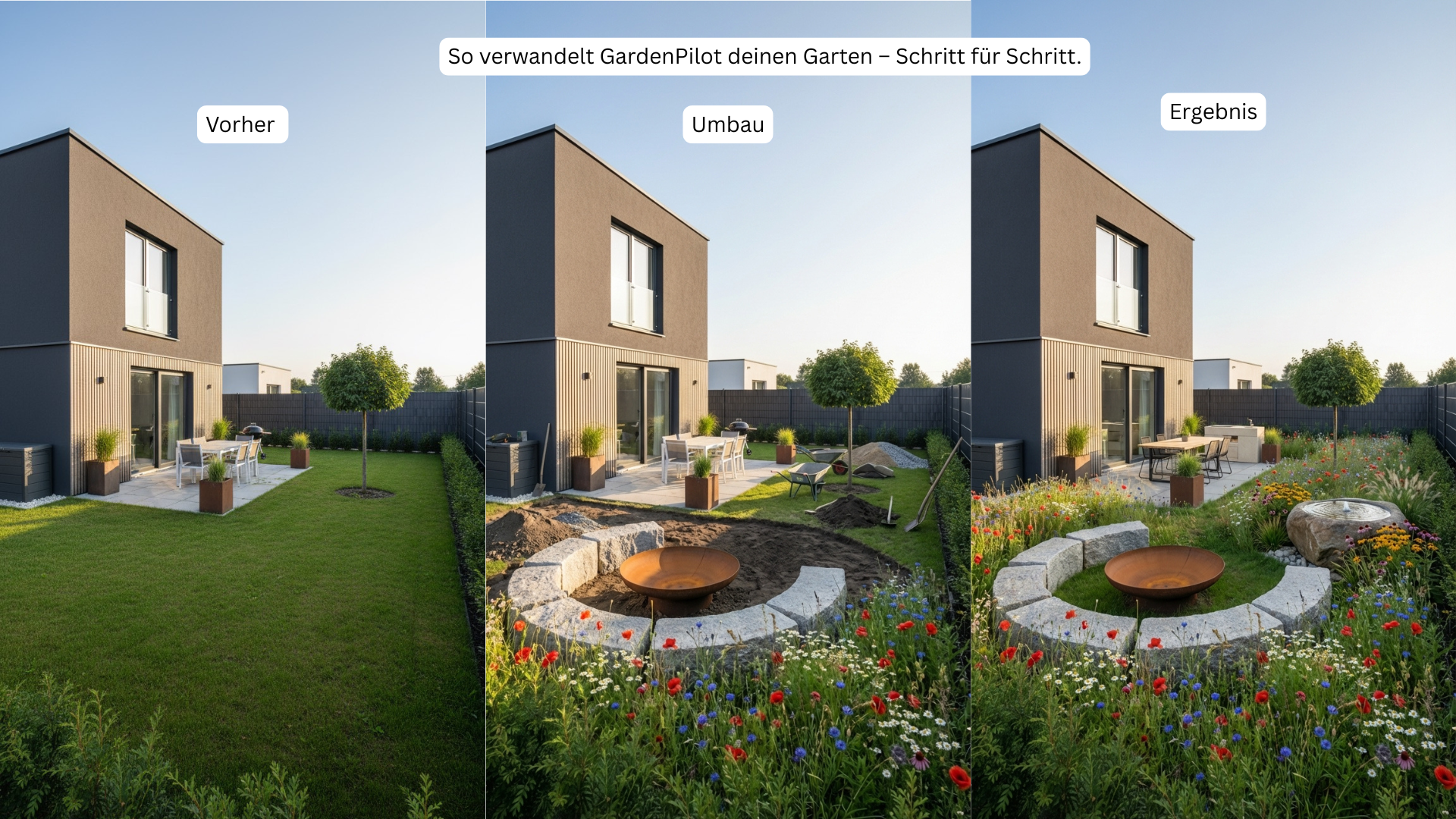
Example 1 – From a simple garden to a modern outdoor oasis

Example 1 – Modern garden: fire pit, perennials, clear zoning (cost 9,000 €).
Before: bare lawn, little structure, small patio
Conversion: edging installed, circular seating area created, new paths prepared
After: modern fire pit, lush perennial beds, clear spatial structure
Cost: 9,000 €
Example 2 – Turning an everyday garden into a lovingly designed outdoor living space

Example 2 – Terraced-house garden: lounge area, raised beds, new paths (cost 11,000 €).
Before: narrow lawn, little usable space, missing areas to relax
Conversion: raised beds installed, groundworks completed, patio area newly created
After: modern lounge, clearly separated zones, harmonious planting
Cost: 11,000 €
Example 3 – From an outdated front garden to an inviting entrance

Example 3 – Front garden: curved gravel path, modern perennials, clean lines (cost 3,000 €).
Before: weathered paving-slab path, unkempt lawn, little structure
Conversion: new curved path layout created, gravel base installed, planting areas prepared
After: modern natural-garden look with perennials, curved path & crisp edging
Cost: 3,000 €
Example 4 – A bare terrace becomes stylish rooftop living

Example 4 – Rooftop terrace: timber deck, modern container planting, cozy seating area (cost 5,000 €).
Before: aged timber deck, empty space with no clear function
Conversion: surface repaired, planters added, structure & zoning created
After: warm timber surfaces, modern container plants, a cozy rooftop living area
Cost: 5,000 €
What to do next
Planning your garden doesn’t have to be complicated. With GardenPilot, you get clear guidance, professional recommendations, and a transparent cost overview—tailored to your garden.
Next steps:
- Upload a photo
- Wait for the analysis
- Select modules & layout
- Review costs
- Start implementation
Start your AI garden analysis now – analysis, ideas & costs in just a few minutes
Conclusion
Garden planning isn’t guesswork—it follows clear principles. With a solid analysis, a defined target vision, the right modules, and realistic cost planning, you create an outdoor space that is functional, beautiful, and built to last.
➡️ GardenPilot doesn’t just show you what to do, but also how much it costs and in what order you should proceed—data-driven instead of gut feeling.
About the author
Fin Pünjer – Founder of GardenPilot
Expert in AI-powered garden planning, modular design systems, and automated garden analysis. He develops tools that make garden planning accessible and easy to understand for everyone.
Planning step by step sounds good—but it’s even better to see where the journey is heading in your specific garden before you take the first step. Upload a photo of your garden and use AI to see how it could look—along with a rough cost range before you invest. This helps you avoid costly planning mistakes. Visualize your garden with GardenPilot (here’s how it works).
Frequently asked questions
How do I plan my garden step by step as a beginner?
Start with a clear goal definition—what should your garden deliver? Then analyze the current situation (area, soil, light conditions), choose suitable design modules, and develop a budget-friendly layout that you can implement in stages.
What does professional garden planning cost compared to DIY planning?
Professional garden planning by a landscape architect is significantly more expensive—depending on effort and garden size—than digital DIY tools, which often offer a free or low-cost initial analysis. With AI-powered planning tools like GardenPilot, you can get an initial cost estimate from a single photo—without having to book an expensive first consultation.
What information do I need before I start garden planning?
You should know the property size, orientation to the sun, soil condition, and your personal usage goals. Existing trees, utility lines, and local building regulations are also important parameters that influence the plan from the very beginning.
Can I have my garden analyzed myself using a simple photo?
Yes—modern AI tools can recognize the current condition from a garden photo, identify design potential, and suggest suitable modules. This gives you a quick, realistic before/after assessment without immediately needing to hire a specialist contractor.
Plan your own garden
Upload a photo of your garden and get a professional AI concept in minutes.
Start for freeMore articles from AI in the Garden
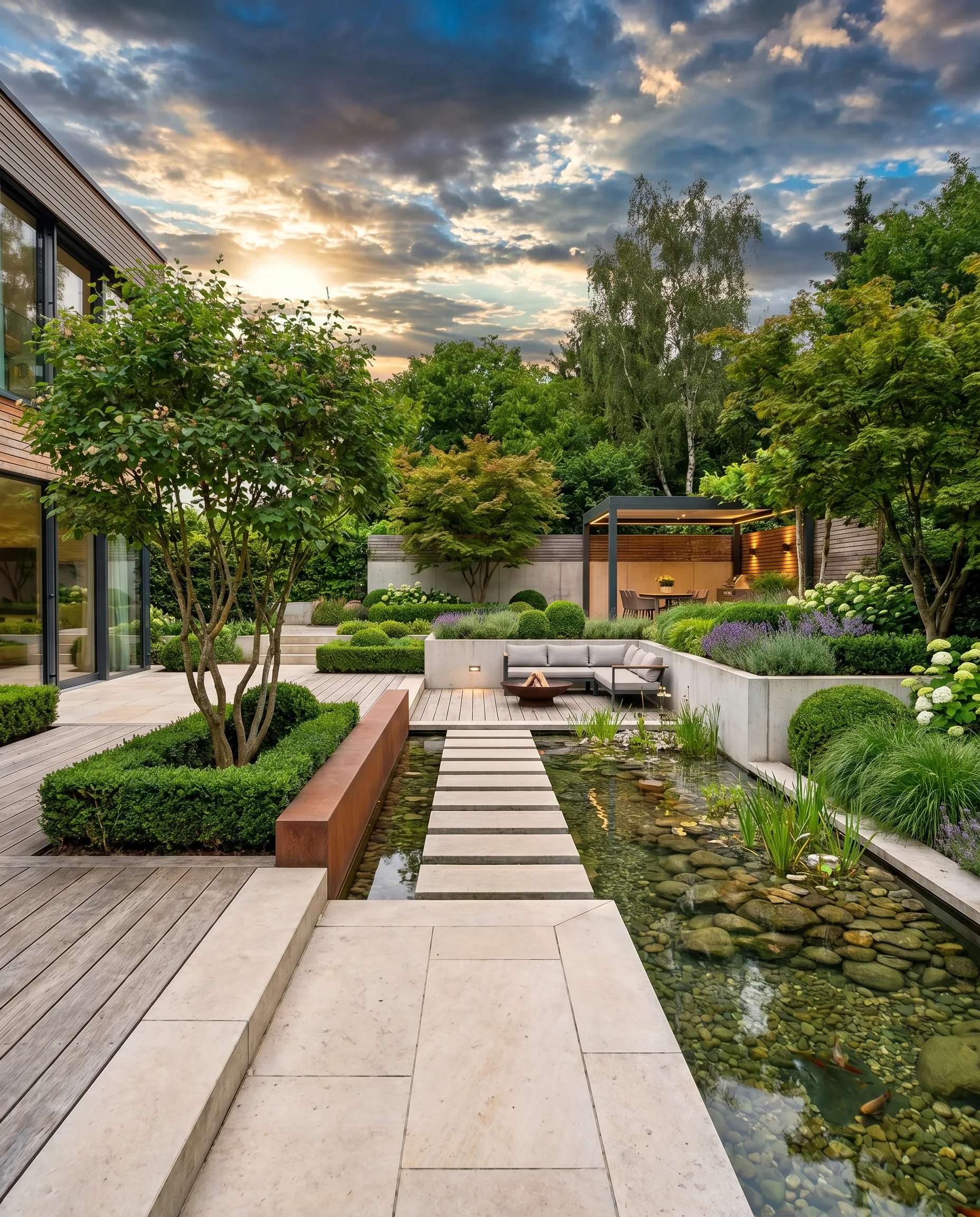
AI Garden Design with a Photo: Plan and Transform Your Garden Digitally
With AI garden design from a photo, your garden comes to life digitally—before you even put a spade in the ground. Discover how smart tools turn your own photos into ready-to-use design proposals.
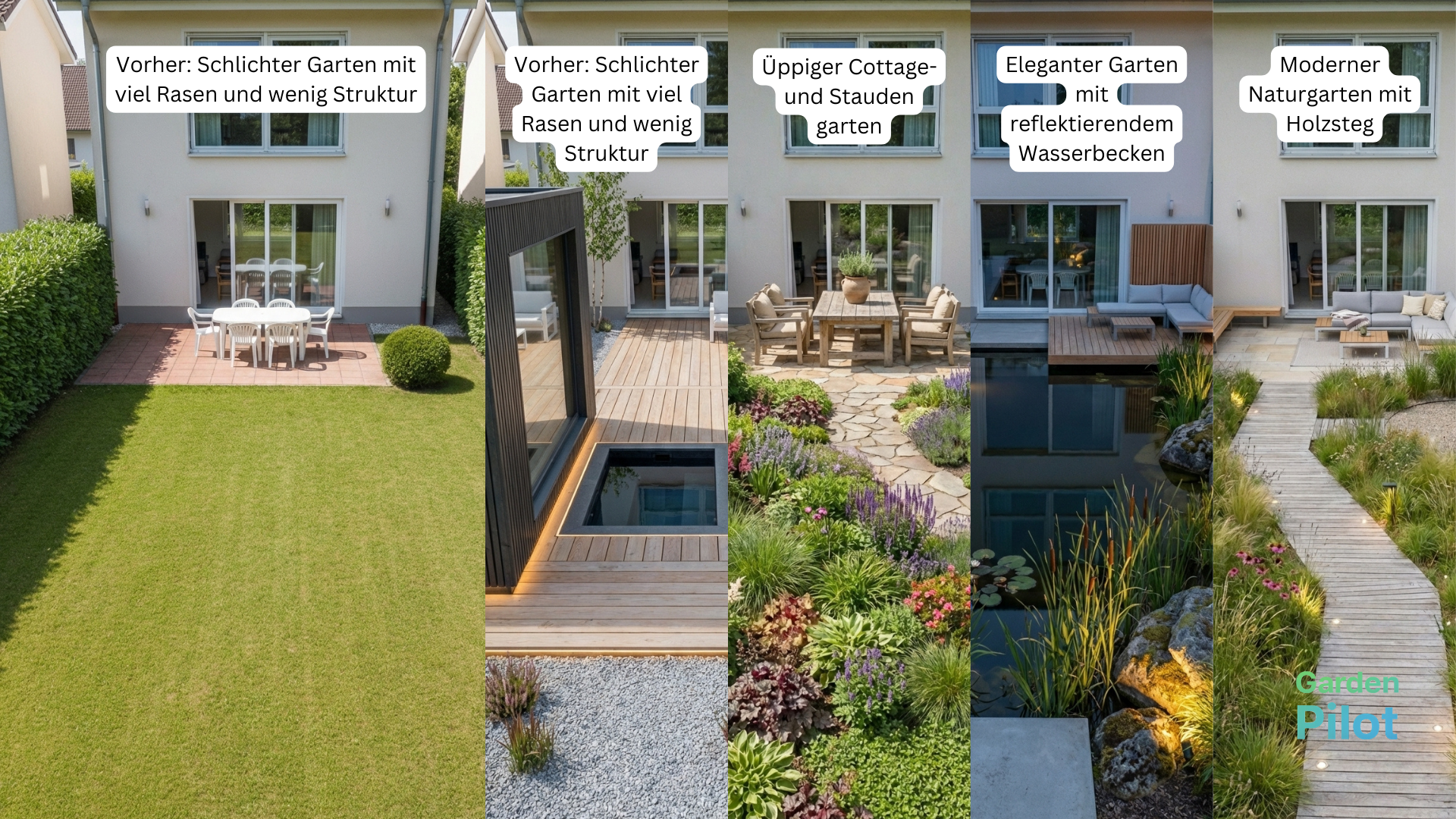
Redesign Your Garden in 2025: AI Planning & DIY Execution (Costs & Steps)
No more mistakes with your garden makeover: get your personalized plan instantly—complete with a cost breakdown, before/after visions, and detailed DIY instructions from GardenPilot.