GardenPilot Professional · for garden & landscaping
From a client photo to a professional sales folder.
Visualize garden ideas directly on the existing photo, develop a structured concept from them and give your client a concrete picture of their future garden – as a client folder to email or share.
First test project free · no payment details · no subscription
See what your client receives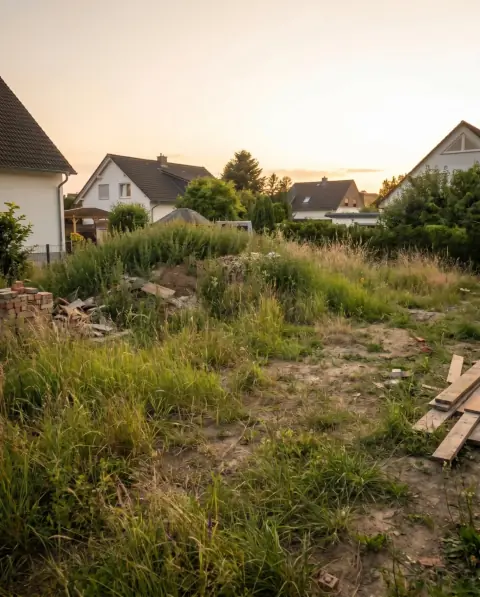

Real example project from GardenPilot. Visualizations are AI-generated and non-binding.
For your own clients – and for new projects
Use GardenPilot in your existing sales process or additionally discover advertised garden projects in your region.
Your own clients
Make ideas visible faster and present them professionally
From the existing photo taken during your client meeting, design directions emerge and from them a structured client folder – the foundation for consultation and quote.
- Visualization on the real existing photo
- Concept with modules, materials, colours and planting
- Client folder as a PDF or a PIN-protected web view
GardenPilot projects
Discover matching client projects in your region
Approved partners see advertised garden projects and decide themselves which of them they quote on.
- See the concept, modules and region before making contact
- Submit a quote module by module via the bid form
- Clarify questions directly through GardenPilot
From the existing photo to the client presentation
One continuous workflow for the early consultation and quoting phase.
-

 1
1Make garden ideas visible
Upload the existing photo – GardenPilot develops three realistic design ideas directly on the existing garden.
-
 2
2Work out the concept
Develop the favourite further: modules with client value, material palette, colour concept and planting concept.
Modules · Materials · Colour palette · Plants
-
 3
3Present professionally
Provide the result as a client folder – as a PDF to email or as a PIN-protected web view.
PDF · Web view · PIN protection · Views
The result for your client meeting
What your client actually sees
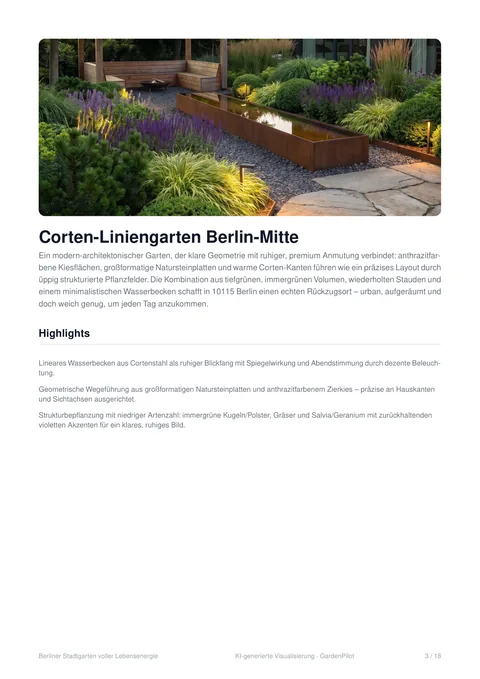
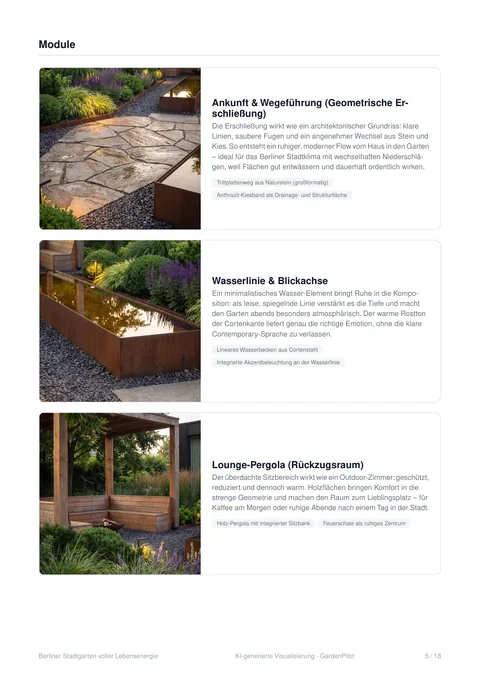
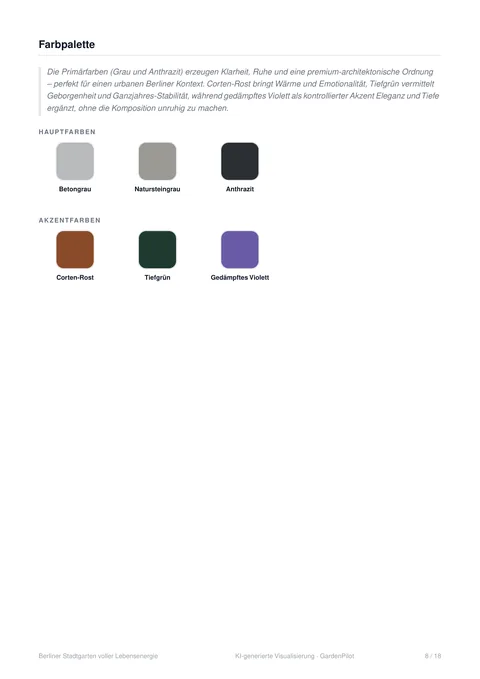
Not a loose AI image, but a finished document you can put on the meeting table – with your company name on the cover page.
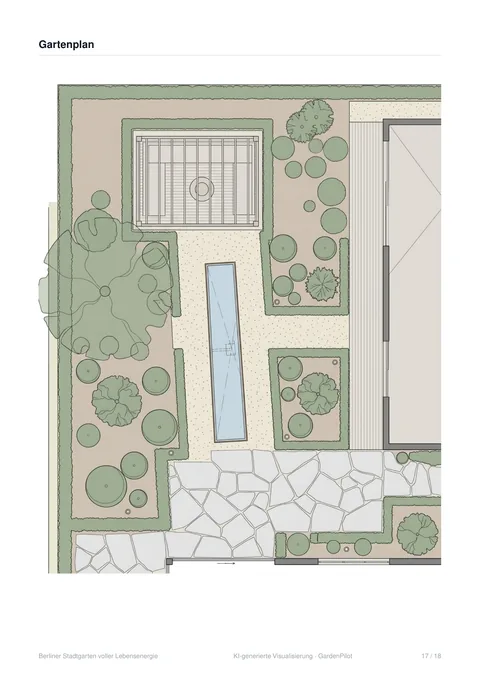
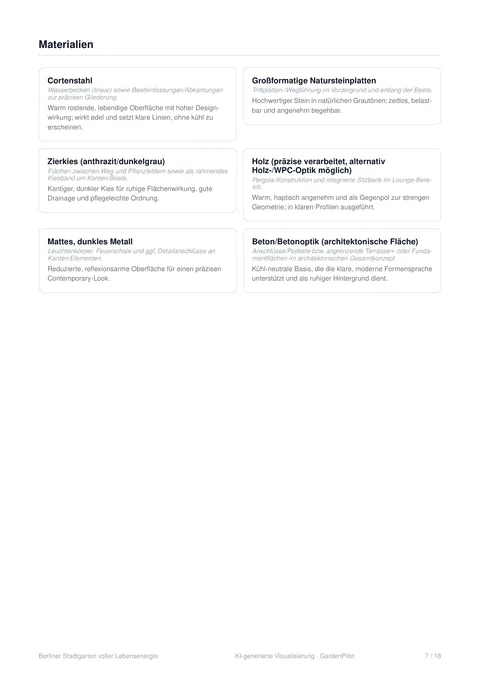
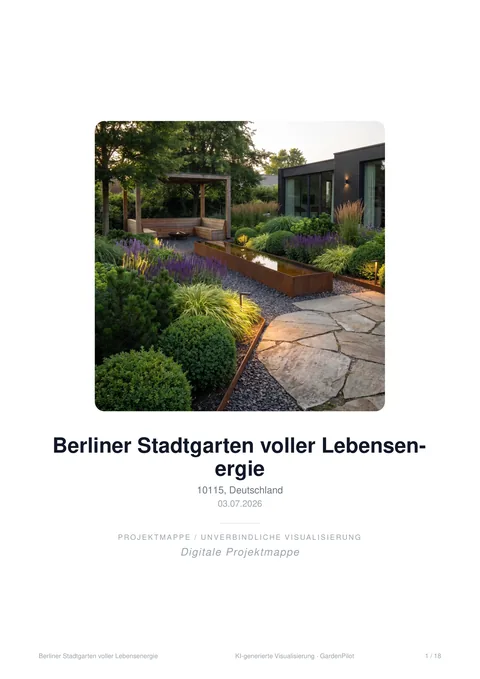
Real pages of a folder from GardenPilot – 18 pages, exported unchanged. The company details on the cover page have been replaced with example values for this illustration.
Your client sees their own garden – not an example from a catalogue.
Plus modules, materials, colours and planting, each with a justification. A document you can hand over without any rework.
All eight sections of the folder
- Created by – Cover page with the project name and your company profile: business, address, contact, contact person.
- Highlights – The key design ideas, each with the benefit for the client.
- Before / after – Existing photo and visualization side by side – as evidence, not as a claim.
- Modules – The individual design building blocks with description and features.
- Materials – Material palette with placement and effect.
- Colour palette – Primary and accent colours with their role in the design.
- Planting concept – Plant selection with role and design function.
- Garden plan – The plan for the concept – can be deselected before you share.
As a PDF
One file to email or print – with a cover page, your company profile and a note that the visualizations are non-binding.
As a PIN-protected link
Your client opens the folder in the browser – without signing in, but with a PIN. You choose which concepts they see, can set an expiry date and see how often the folder has been opened. Sharing costs partners nothing.
Your first test project is free – the project start with three visualizations and the fully worked-out garden concept.
For a clearer quoting phase
- Garden ideas visible earlier
- Your client does not have to imagine the design – they see it on their own property.
- Agree on variants early
- Compare several directions side by side before work goes into the wrong one.
- A concept instead of a quote sheet
- Visualization, modules, materials and plants come together in one document.
- Reuse the same foundation
- The same folder carries from the consultation into the quote – nothing is prepared twice.
An additional option for approved partners
Discover advertised garden projects
GardenPilot clients can advertise their planned project to professional businesses. As an approved partner you see matching projects and decide yourself whether to submit a quote.
How it works: view the project → submit a quote via the bid form → clarify questions in the tool → on acceptance you receive the contact details.
What you see before making contact
- Concept image with a before/after comparison
- Modules, materials, colours and plants of the chosen concept
- Postcode and the desired start date
- Notes from the client, where provided
No base fee. You only pay when you use it.
A typical client project: around 10 credits
≈ €17–25 net per project – depending on which credit package you buy.
Your first test project is free – the project start with three visualizations and the fully worked-out garden concept.
The project start with three visualizations and the fully worked-out garden concept – without credits, without a subscription, without payment details (8 credits in total). After that you only pay for what you use: every further visualization costs 1 credit as usual.
The free test project applies once per partner account and covers the project start with three visualizations plus one garden concept in that project. The entitlement cannot be reclaimed – not even if you delete the project later.
Get started in three steps
- 1
Register
Provide your company profile, services and service area. Free, without payment details.
- 2
Activate your partner access
We review the details by hand and unlock your access.
- 3
Start your first test project free
Upload the existing photo of a real client project and run through the whole workflow once.
First test project free · no payment details · no subscription
Frequently asked questions
What is the GardenPilot client folder?
An automatically created presentation of your garden concept – with a cover page and your company profile, highlights, before/after, modules, materials, colour palette, planting concept and garden plan. You provide it as a PDF or share it as a PIN-protected web view.
What exactly is free about the first test project?
The project start with three visualizations and the fully worked-out garden concept – 8 credits in total that are not charged to you in this one test project. Further visualizations cost 1 credit as usual. The test project applies once per partner account and cannot be reclaimed, not even by deleting the project.
What does GardenPilot Professional cost?
There is no base fee and no subscription. You buy credits as needed and use them up when you work on a project. A typical client project comes to around 10 credits. The current packages are on the pricing page.
Do my credits expire?
Purchased credits are valid for 12 months from the moment they are credited.
How do advertised client projects work?
As an approved partner you see requests in your service area with the concept, modules, postcode and desired start date. You decide yourself which projects you quote on via the bid form. You receive the client’s contact details once your quote is accepted.
Do I need experience with design or CAD software?
No. GardenPilot is a guided workflow for consultation and client presentation and does not require any CAD or design software skills.
Use your next client project as a test case.
Upload a real existing photo and go through the whole path once: design idea, concept, client folder.
First test project free · no payment details · no subscription